Full Xero Review With Updated US Pricing and Features (2026)
Home
/
Blog
/
Odoo Accounting Review (2026): Free, Powerful, and Complicated
Odoo Accounting Review (2026): Free, Powerful, and Complicated
Written by
Reviewed by
In-depth Odoo Accounting review covering features, pricing, and pros and cons to help you decide if Odoo is right for your accounting needs.

Odoo Accounting is free forever if it's the only Odoo app you run. It covers invoicing, bank reconciliation with 28,000+ bank integrations, AI invoice capture (which Odoo claims reaches up to 98% accuracy), expense management, and real-time reporting. The honest caveat is that “free” and “simple” are not the same thing. Odoo rewards businesses that invest properly in setup. Those that treat it as plug-and-play consistently report a harder experience than expected.
Most free accounting software compromises somewhere obvious: too few features, a user cap, or a transaction limit that forces a paid upgrade within weeks. Odoo is different.
The accounting module is genuinely free, permanently, with no invoice limits and no transaction caps, but it’s complex. Odoo Accounting is one module inside an 80+ app open-source ERP ecosystem, and setting it up properly takes more upfront investment than QuickBooks or Xero.
Whether that trade makes sense depends entirely on what you're trying to build. We give you the details in this Odoo Accounting review.
What Is Odoo Accounting?
Odoo is a Belgian open-source software company with over 7 million users worldwide. Its ERP platform covers CRM, sales, inventory, manufacturing, HR, project management, and accounting all within one system.
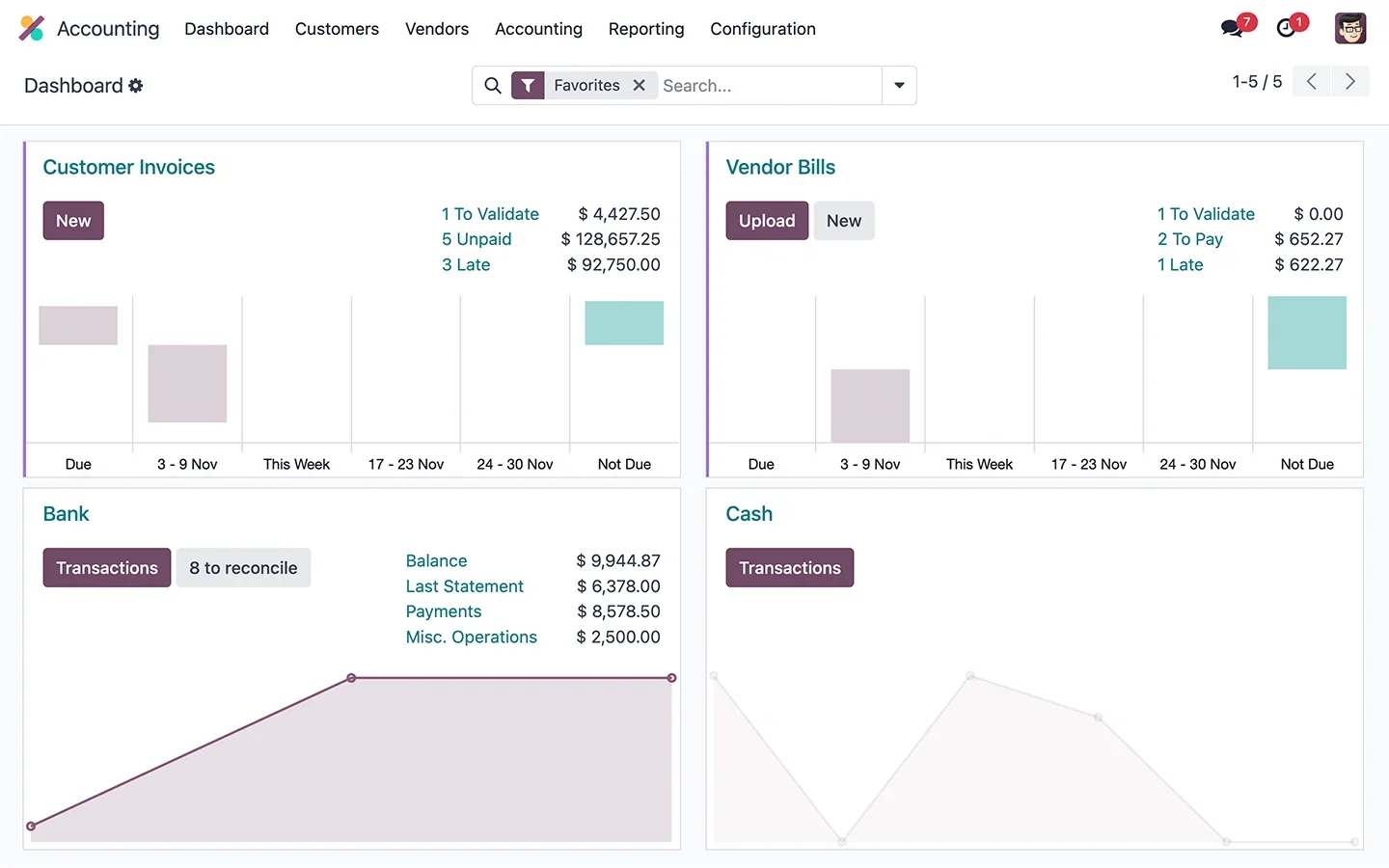
The accounting module specifically handles invoicing, bills, bank reconciliation, expense management, financial reporting, and tax compliance.
The free tier gives you one Odoo app permanently at no cost. If that app is Accounting, you get a full accounting system for zero dollars indefinitely.
The moment you add a second Odoo app, the per-user pricing kicks in for both. This pricing model is worth understanding before you evaluate anything else.
Insight: Odoo's open-source architecture means the Community edition is completely free to download, self-host, and run without any limit on users, modules, or data. The hosted version (Odoo.sh) and the Standard/Custom cloud plans carry per-user fees. For businesses with the technical capacity to self-host, the cost equation is dramatically different from any SaaS competitor.
What Features Does Odoo Accounting Have?
The accounting module covers almost every feature a business needs. Here’s a breakdown.
Invoicing and Accounts Receivable
Unlimited invoices, unlimited bills, permanently free. Customer details, products, prices, and tax rates pre-populate automatically from existing records, reducing a multi-step invoice to a single confirmation in most cases. The customer portal lets clients view invoices, track payment status, and pay online directly.
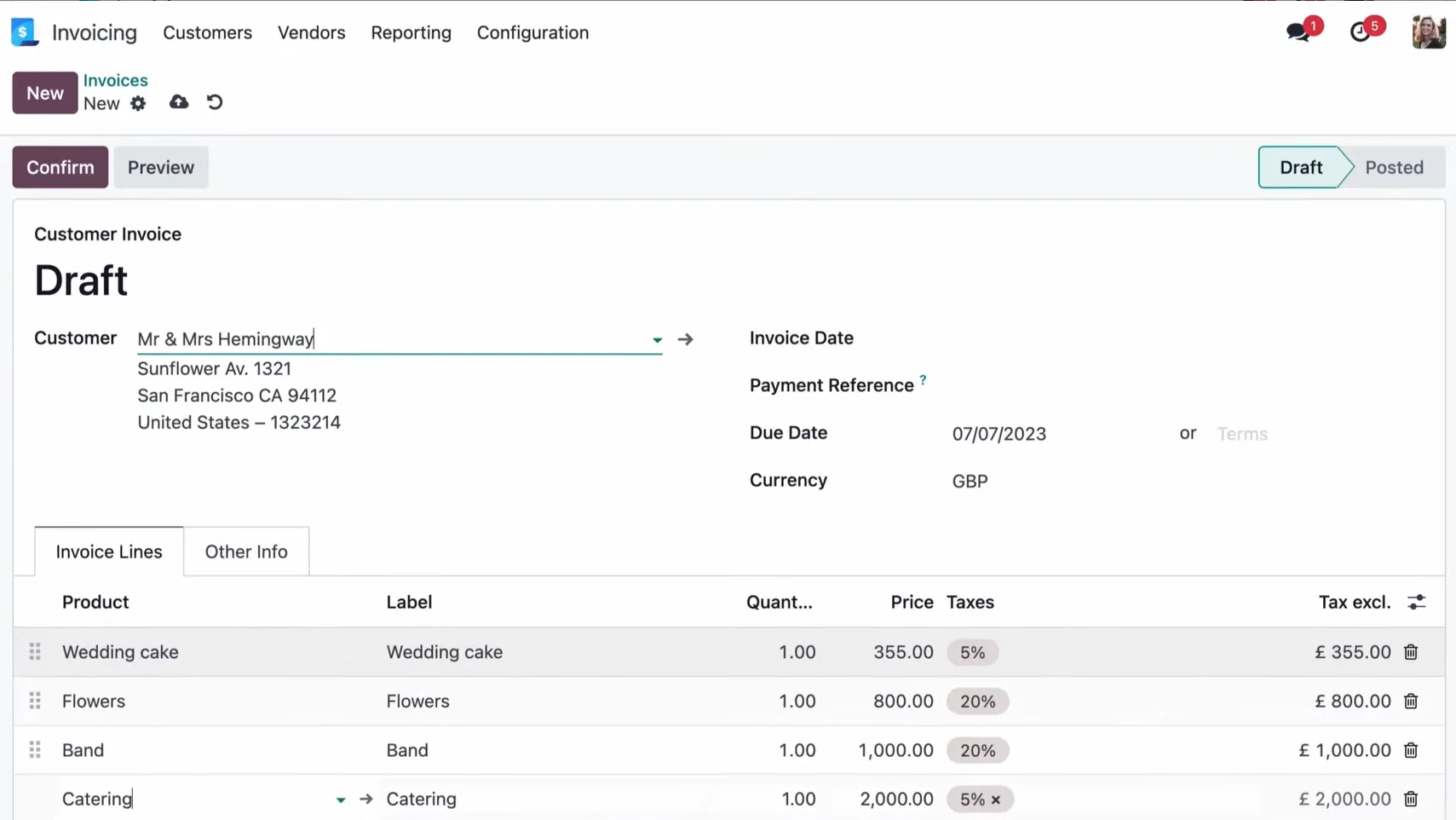
Automated follow-ups handle overdue payments without manual intervention: Odoo identifies late payments and sends reminders via email, post, or SMS based on how many days overdue an invoice is.
The system handles recurring invoices for subscription billing and supports multiple currencies with daily exchange rate updates.
AI-Powered Document Capture
The AI invoice capture claims a 98% recognition rate on vendor bills. Upload a PDF or photo, and the system reads and extracts the vendor, amount, date, and line items automatically. The accountant validates rather than enters.
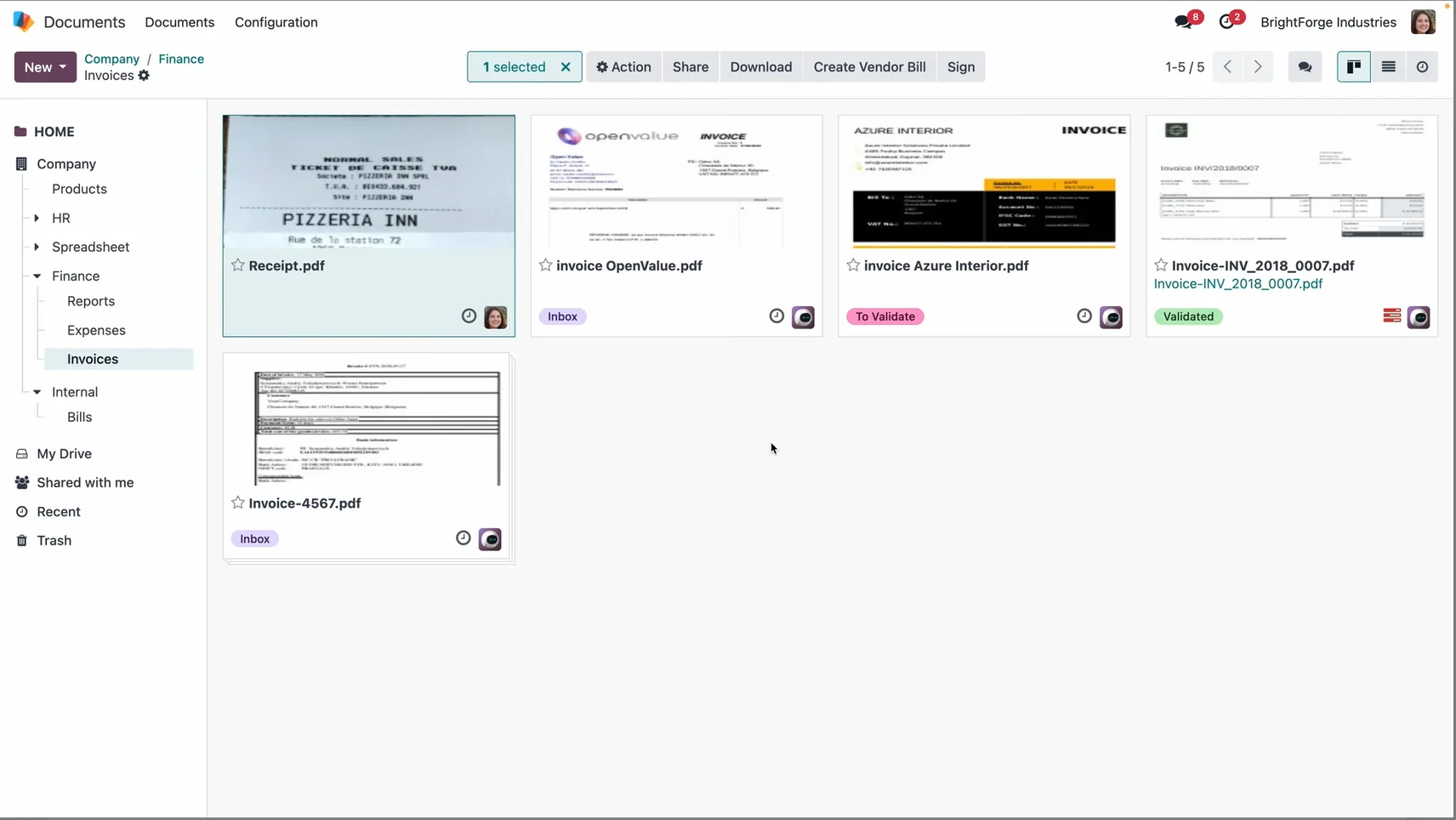
The mobile app extends this to expense receipts: take a photo, let the AI extract the details, and submit the expense. Odoo's own metric is five seconds from login to vendor bill entry, with all operations processed in under 90 milliseconds.
Bank Reconciliation
28,000+ banks supported globally, with automatic feed imports that eliminate manual statement entry. According to Odoo's internal benchmarks, the AI matching engine pairs up to 95% of transactions automatically against financial records. For the remaining 5%, the interface surfaces the closest matches rather than leaving the user to search.
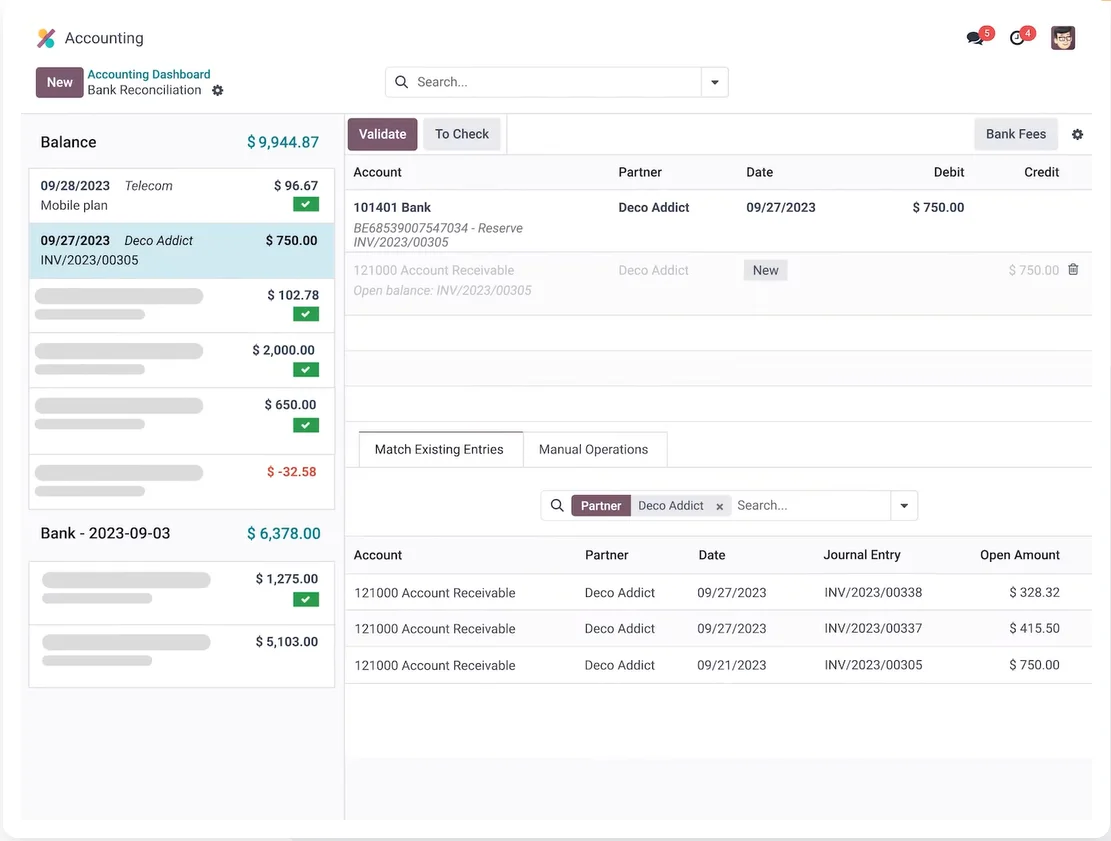
Multiple statement formats are supported for manual import when direct bank connection isn't available: CSV, TSV, XLS, OFX, QIF, and CAMT.053. The reconciliation workflow is clean and one of the more consistently praised aspects of the platform in user reviews.
Expense Management
The Expenses app is a separate Odoo module but connects natively with Accounting. Employees submit expenses via email, scan, drag-and-drop, or manual entry, either from desktop or mobile.
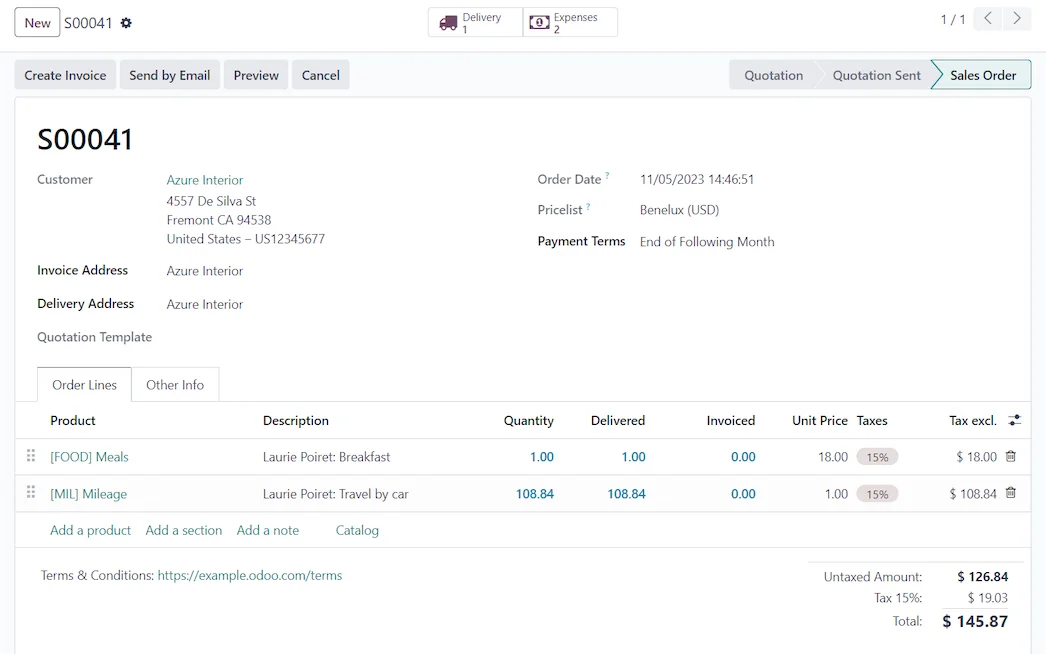
OCR handles receipt scanning. Expense reports consolidate individual items for single-submission approval. Reinvoicing routes client expenses directly to sales orders without touching the accounting app manually.
Global Compliance and Tax
Odoo ships with Fiscal Localization Packages for over 160 countries, providing pre-configured charts of accounts, tax rules, country-specific reports, electronic invoicing formats, and fiscal positions that apply the correct tax rates automatically based on where customers and suppliers are located.
For businesses operating internationally, this is a genuine advantage over tools that treat international compliance as an afterthought.
The caveat is the US specifically: several independent reviewers flag that US state tax complexity often requires customization or third-party tools beyond what the standard localization package covers.
What to Watch For: US-based businesses with complex state tax obligations should evaluate the localization depth carefully. Odoo's US tax support covers the basics but isn't as seamlessly polished as QuickBooks' native integration. Businesses with multi-state nexus, complex product taxability rules, or heavy 1099 contractor volumes may need third-party add-ons or customization work on top of the standard package.
Reporting and Analytics
Real-time financial reports, P&L, balance sheets, cash flow, and tax summaries are all built in. The Spreadsheet app connects live Odoo data to spreadsheet-style reports and dashboards without export/import cycles. Reports can be annotated, exported, and drilled into at the transaction level.
Odoo's analytic accounting handles multi-dimensional cost and revenue allocation: multiple analytic accounts, automated distribution structures, and integration with projects and sales orders.
For businesses that need detailed project profitability or departmental reporting, this depth is available without a separate BI tool.
How Much Does Odoo Accounting Cost?
Odoo's pricing model is deliberately different from every other platform in this review category, and understanding it is essential before evaluating whether it makes financial sense. It also varies by region.
Note: Figures reflect standard US list pricing. Odoo offers a first-year discount on initial user counts, and rates vary by global region (e.g., lower per-user rates in EMEA and APAC). Multi-year commitments and volume may create additional negotiation leverage. The one-app free plan applies to the cloud-hosted version; the Community edition is free and unlimited but self-hosted.
Pro Tip: The math on Odoo Community can be compelling for businesses with the technical resources to self-host. A 10-person accounting team running Odoo Community pays $0/mo. in software license fees vs. roughly $389/mo. ($4,668/yr) on the cloud Standard plan, or up to $762/mo. ($9,144/yr) on Custom. While server infrastructure and IT maintenance are real costs, for businesses that already have in-house technical capacity, self-hosting offers significant long-term savings.
What Are Users Saying About Odoo Accounting?
Odoo Accounting holds a 4.3/5-star rating on G2 across 75+ reviews as of Q2 2026. The broader Odoo ERP product has thousands of reviews across G2, Capterra, Trustpilot, and Reddit, and the pattern across all of them is remarkably consistent.
Users who invested properly in setup are largely satisfied; users who treat it as plug-and-play are not. That's the sentence that appears in some form across every independent review source.
What to Watch For: Implementation partner quality varies significantly. Odoo has a global network of certified partners, and the outcome of an Odoo implementation correlates strongly with who does it. For example, in a representative user case report, a $7M distribution business migrating from QuickBooks to Odoo noted that while accounting was operational in week one, inventory integration required ten additional weeks beyond the original scope. Scope your implementation carefully, choose your partner carefully, and budget for the real timeline.
Who Is Odoo Accounting Right For?
The right Odoo buyer is a business in the $1M to $20M revenue range that has outgrown QuickBooks or Xero but isn't ready for NetSuite's pricing or complexity. That frame holds up across the review data.
- Businesses that want accounting as part of a broader operational system, not as a standalone tool: the integration between sales, inventory, and accounting is where Odoo's value concentrates.
- International businesses or businesses in countries with strong Odoo localization support: The 160-country fiscal localization coverage is genuinely broad.
- Businesses with in-house technical resources or budget to engage a qualified implementation partner.
- Early-stage businesses that want a free accounting system with room to expand into CRM, inventory, and HR on the same platform as they grow.
It's a harder fit for
- US businesses with complex payroll, sales tax, or 1099 requirements who want those handled natively without customization.
- Teams without technical capacity who need to be operational quickly; sub-60-day go-lives are difficult to achieve reliably.
- CPA firms managing many external client entities from one platform. Odoo's multi-company support exists but isn't optimized for the outsourced accounting provider model.
How Does Odoo Accounting Compare to the Alternatives?
For full comparisons, see our best cloud accounting software guide. Here’s a quick comparison between the most popular options:
Odoo Accounting Review: Final Verdict
Odoo Accounting is free and genuinely capable, but free doesn't mean simple. The platform rewards proper setup and punishes shortcuts. If you want accounting embedded in a broader operational system and have the patience (or budget) to implement it right, the price-to-feature ratio is hard to beat.
However, if you need to be running in two weeks, QuickBooks or Xero will get you there faster. For CPA firms and family offices managing multiple external entities, Odoo wasn't designed for that model.
Managing multiple client entities and need purpose-built consolidation? Start a free 7-day trial with Eleven today; no credit card is required. →
Frequently Asked Questions (FAQs)
Is Odoo Accounting really free?
Yes, permanently for the cloud-hosted version as long as Accounting is the only Odoo app you're using. There are no invoice limits, no user caps, and no hidden transaction fees on the free plan.
The moment you add a second Odoo app, per-user pricing applies to all apps. The Community (self-hosted) edition is free with unlimited apps and users but requires your own server infrastructure and technical expertise to deploy.
Who is Odoo Accounting best for?
Businesses in the $1M to $20M revenue range that have outgrown standalone accounting tools but aren't ready for enterprise ERP pricing. It works particularly well for businesses that want accounting integrated with sales, inventory, CRM, or manufacturing in one system and for internationally operating businesses that benefit from Odoo's 160-country localization library.
How does Odoo Accounting compare to QuickBooks?
Odoo offers a free tier with no invoice limits, stronger ERP integration, and a dramatically lower cost at scale. QuickBooks offers native US payroll, a larger accountant network in the US, simpler setup, and stronger US-specific tax compliance out of the box.
For businesses that prioritize fast setup and native payroll, QuickBooks is more practical. For businesses building an integrated operational system on a budget, Odoo's value proposition is stronger over time.
Is Odoo hard to set up?
More than most SMB accounting tools, yes. The setup complexity is the most consistent complaint across all review sources, and the outcomes of Odoo implementations correlate strongly with whether the business invested in a qualified implementation partner.
Users who set up Odoo with proper expertise are largely satisfied; those who treated it as a simple self-service install typically have a harder experience.
Does Odoo Accounting support multiple companies?
Yes, multi-company support is available on the Custom plan (and self-hosted Community edition), allowing separate journals, charts of accounts, and reporting per company within a single database.
This is different from native multi-entity consolidation with automated intercompany eliminations and group reporting. Businesses that need that level of structural sophistication will find Odoo's multi-company feature adequate for internal use but not optimized for managing many external client entities as an outsourced accounting firm would.
Was this article helpful?
Thank you! Your feedback has been received!
Oops! Something went wrong while submitting the form.